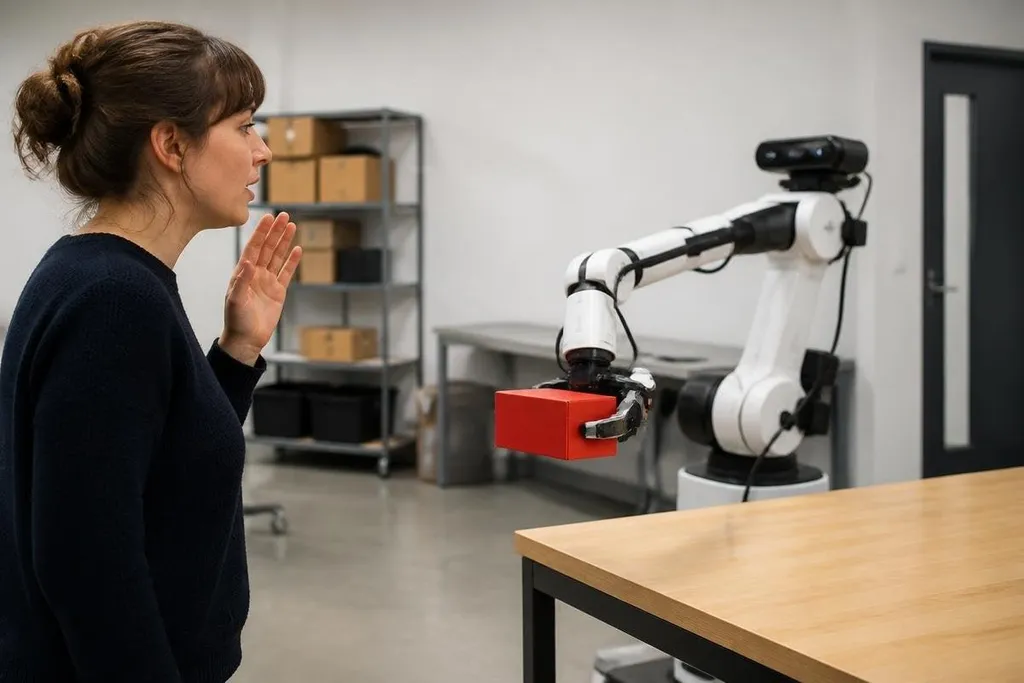
A robot hears “bring the red box to the table” as a stream of sound, not as a task. It must turn those words into a target, a set of actions, and checks that show whether the job worked.
That process links language software with sensors, motion planning, and control. For an operator, the useful question is whether the robot can act safely when the command leaves out details.
Quick read
- Speech recognition turns audio into written words.
- A language model links words to objects, places, and actions.
- The robot still needs cameras, maps, and safety checks to finish the task.
From speech to meaning
The first step is speech recognition. A microphone records sound, and software turns that sound into text. Background noise, accents, distance, and several people speaking at once can all change the text before the robot reasons about it.
The text then goes to a language model or another command parser. It looks for the action, the object, and the destination. In “move the red box to the table,” the action is move, the object is the red box, and the destination is the table.
Those labels are not enough on their own. The robot must connect “red box” to something its camera can see and connect “the table” to a place in its map. This link between words and physical objects is called grounding.
Grounding is where many simple demos become harder. A room may contain several boxes, two tables, or no object that matches the description. The robot needs a way to ask for more detail instead of picking a nearby object by mistake.
Turning a command into a plan
Once the robot has a grounded command, a planner breaks it into smaller actions. It may need to find the box, move to a safe position, open or close a gripper, carry the box, and place it on a clear part of the table.
A language model can suggest that sequence, but it should not control motors directly. Motion software checks reach, collision risk, weight, and the robot’s current position before it sends commands to the arm or wheels.
This split gives each part a clear job. Language software handles flexible wording, while motion control handles distances, joint angles, speed, and force. Understanding “put it over there” depends on sensors and recent task history giving “it” and “there” a clear meaning.
The same command may need a different plan after the scene changes. If a person stands beside the table, the robot may need to stop, wait, or ask the operator to clear the area.
Language does not remove that check; it adds another input to the control process.
Feedback keeps the task grounded
Robots need feedback after each action. A camera can check whether the gripper reached the box. Force sensors can show whether the object was held. Wheel or joint sensors can report that the robot moved as planned.
The software compares those signals with the expected result. If the box slips, the robot can pause and ask what to do next. If the destination is blocked, it can report the problem rather than silently choosing a new place.
That loop lets the robot compare each step with the task state before it marks the job done. Robot24.com coverage of language commands can connect these software choices to named robots and tests. A later command may then add work without erasing what the robot has already completed.
A command can also change during a task. “Take the box to the table, then stop” adds a new action after the handoff. The robot must keep the task state, which records what it has done and what remains.
Where language control breaks down
Vague commands create real limits. “Clean the room” does not say which objects belong in storage, what may go in the bin, or where fragile items should go. A capable robot still needs rules, maps, and permission to act.
Language models can also produce a sensible-sounding plan that does not fit the robot’s body. An arm may be unable to reach a shelf, or a mobile robot may lack a route around a closed door. The planner must check each step against the hardware and the scene.
Safety needs a separate path. Spoken requests should not give permission to move through a person’s space, lift an unknown load, or disable a stop rule. The language layer can suggest an action, but safety control decides whether motion may happen.
A practical check before deployment
Use this checklist when you assess a language command system:
- Name the inputs: confirm whether it accepts speech, text, gestures, or all three.
- Test unclear words: use commands with missing objects, places, or quantities.
- Check grounding: see how the robot chooses between two objects with similar descriptions.
- Watch recovery: interrupt a task and check whether it stops, asks, or makes an unsafe guess.
- Separate safety: verify that language commands cannot bypass collision limits or emergency stops.
- Record failures: keep the exact command, scene, action, and result for later review.
I'd skip any system that treats a fluent reply as proof that the robot understood the room. The useful measure is whether it picks the right object, follows the allowed plan, and reports a problem when the words do not match what its sensors find.
That standard will shape the next stage of language-controlled robots: fewer impressive replies, and more tasks completed with clear checks at each step.